
Want to earn passive income by securing a blockchain network? Running a validator node is a critical infrastructure component in blockchain networks that validates transactions, creates new blocks, and maintains network consensus. It sounds simple enough: you stake some tokens, run the software, and get paid. But if you’ve ever tried to set one up, you know it’s anything but plug-and-play. The barrier to entry isn’t just technical; it’s financial and operational. One wrong move with your hardware or connectivity can lead to slashed stakes-meaning you lose money instead of making it.
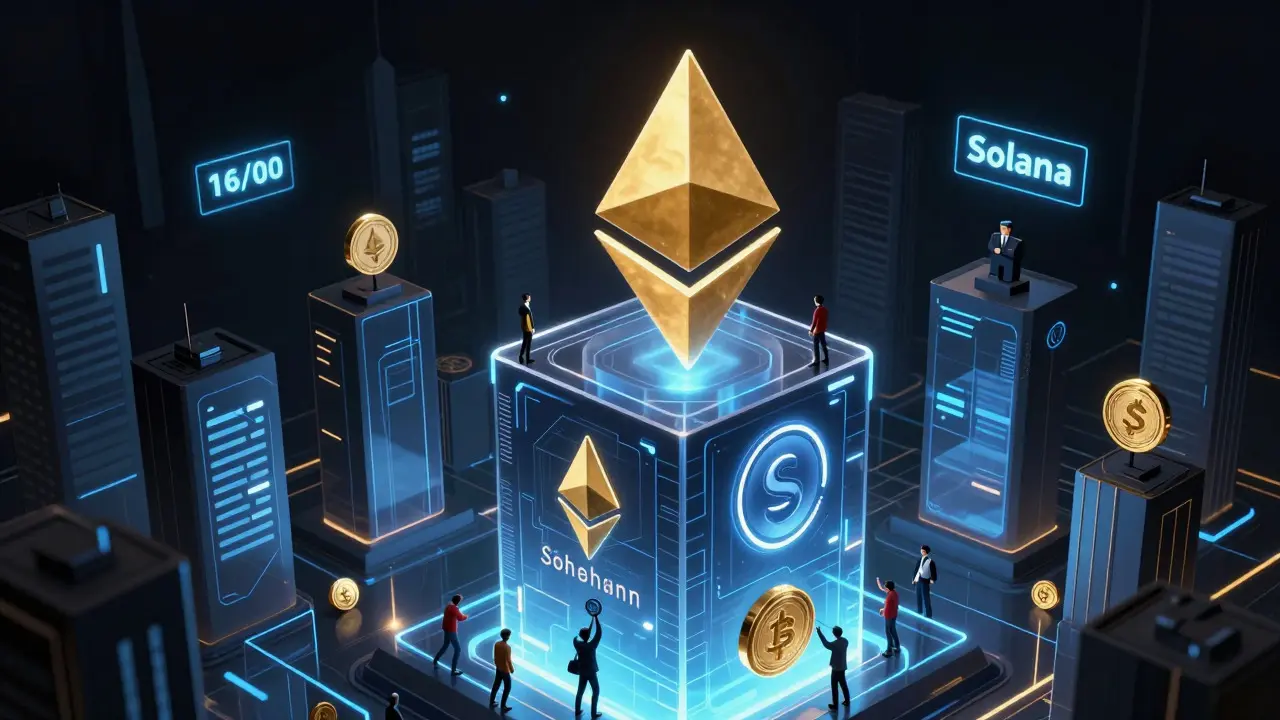
In 2026, the landscape has shifted dramatically. Networks like Solana and TON demand enterprise-grade hardware that rivals small data centers, while others like Ethereum maintain high financial thresholds. This guide cuts through the noise to tell you exactly what it takes to run a validator today, from hardware specs to hidden costs.
What Exactly Does a Validator Do?
Before buying servers, understand the job. A validator doesn’t just "store" the blockchain. It actively participates in consensus mechanisms like Proof of Stake (PoS), Delegated Proof of Stake (DPoS), or Proof of Authority (PoA). When a transaction occurs, validators compete or are selected to bundle those transactions into a new block. They verify the signatures and ensure no double-spending occurred. Once the network agrees (consensus), the block is added to the chain, and the validator earns a reward.
The risk? If your node goes offline, misses blocks, or acts maliciously, the protocol punishes you. This is called slashing. In networks like TON, processing less than 90% of expected blocks can cost you 101 TON tokens per incident. That’s why reliability matters more than raw power alone.
Hardware Requirements: From Home Servers to Data Centers
Not all blockchains are created equal. Your hardware needs depend entirely on which network you choose to validate. Some fit on a modest desktop; others require server racks.
| Network | CPU | RAM | Storage | Bandwidth |
|---|---|---|---|---|
| Ethereum | Quad-core x64/arm64 | 32 GB DDR4 | 4 TB NVMe SSD | 10 Mbps (no caps) |
| Solana | 24+ cores (AMD EPYC/Intel Xeon) | 384-512 GB DDR5 ECC | Enterprise SSDs | 3 Gbps symmetric |
| TON | 16-core CPU | 128 GB RAM | 1 TB NVMe (64k+ IOPS) | 1 Gbit/s |
| Polkadot | 4 physical cores @ 3.4 GHz | 32 GB DDR4 | 1 TB NVMe SSD | 500 Mbps stable |
| TRON | 16-core @ 3.0+ GHz | 64 GB (SR: 128 GB) | 2.5 TB NVMe SSD | High throughput required |
Solana stands out as the most demanding. You need CPUs with specific instruction sets like SHA extensions and AVX2 for cryptographic operations. Standard consumer PCs will choke. TON emphasizes disk speed (IOPS) over raw storage capacity, meaning cheap HDDs are useless here. For Ethereum, the focus is less on raw compute and more on redundancy and consistent uptime.
Financial Barriers: Staking Amounts & Capital
Hardware is just the upfront cost. The real gatekeeper is the staking requirement-the amount of native tokens you must lock up to become a validator. This varies wildly across ecosystems.
- Ethereum: Requires exactly 32 ETH per validator. With ETH prices fluctuating, this represents a significant capital commitment. However, you can run multiple validators on the same machine if resources allow.
- Sui: One of the highest barriers at 30 million SUI tokens. This effectively limits participation to institutional players or large consortia.
- Cosmos: No fixed minimum, but you must rank in the top 180 validators by stake. As of recent data, maintaining a competitive position requires approximately 33,052 ATOM. If you drop out of the top 180, you stop earning rewards.
- Avalanche: Requires 2,500 AVAX to become a validator. Delegation allows smaller holders to participate with as little as 25 AVAX.
- Solana: Uniquely, there is no minimum staking requirement. Anyone can run a validator if they have the hardware. However, without stake, you may not be elected to produce blocks frequently, affecting profitability.
These financial structures reflect each network’s philosophy. High stakes increase security by raising the cost of attack but reduce decentralization. Low or no stakes encourage participation but may lead to centralization among those who can afford the best hardware.
Connectivity & Network Infrastructure
You can have the best server in the world, but if your internet connection drops, you’re dead in the water. All validator nodes require:
- Static Public IP Address: Essential for other nodes to find and communicate with yours.
- Port Forwarding: You must open specific UDP ports for incoming connections. Firewalls often block these by default, so configuration is key.
- No Data Caps: Blockchain sync involves massive data transfers. Ethernet connections are preferred over Wi-Fi for stability.
- Low Latency: Especially critical for Solana, where latency under 50ms is recommended. Geographic location relative to other major validators matters.
Consider using an Uninterruptible Power Supply (UPS). A sudden power outage can corrupt your database or cause missed blocks. For enterprise setups, redundant power feeds and fiber optic connections are standard practice.
Setup Process: Step-by-Step Overview
While every network has unique software, the general workflow is similar:
- OS Installation: Most validators run on Linux (Ubuntu or Debian recommended). Ensure kernel version 5.16 or newer for Polkadot compatibility.
- Full Node Sync: Before validating, you usually need to run a full node to download the entire blockchain history. This can take days or weeks depending on network size.
- Validator Configuration: Generate keys, configure port forwarding, and enable validator mode. For example, TON users use commands like `status_modes` to verify validator status.
- Stake Activation: Deposit your tokens via the network’s explorer or wallet interface.
- Monitoring: Set up alerts for downtime, low disk space, or high CPU usage. Tools like Prometheus and Grafana are commonly used.
Support quality varies. Ethereum has extensive documentation via EthStaker. Newer networks may rely heavily on community Discord channels. Always test your setup in a testnet environment first.
Risks & Pitfalls to Avoid
Running a validator is not passive income; it’s active management. Here are common mistakes:
- Underestimating Storage Growth: Blockchains grow daily. Plan for additional NVMe drives within the first year.
- Ignoring Slashing Conditions: Read the protocol docs. Missing blocks due to poor hardware or network issues can result in token penalties.
- Single Point of Failure: Relying on one ISP or power source is risky. Consider backup connections.
- Security Negligence: Validators hold private keys. Use hardware security modules (HSMs) or cold storage solutions for key management. Never expose keys to the internet.
Is It Worth It in 2026?
The validator services market is professionalizing. Institutional players are entering, driving up competition. For individuals, running a single Ethereum validator might yield modest returns after electricity and hardware costs. Solana offers higher potential rewards but demands significant capital expenditure on hardware. Cosmos provides a middle ground but requires constant vigilance to maintain top-180 status.
If you’re technically skilled and have access to enterprise hardware, it can be profitable. If you’re a beginner, consider delegating your stake to an established validator first. Learn the ropes, monitor their performance, and then decide if you want to build your own infrastructure.
Can I run a validator node on my home computer?
For lighter networks like Polkadot or smaller sidechains, yes. However, major networks like Solana, TON, and even Ethereum require dedicated servers with high-end CPUs, large amounts of RAM, and fast NVMe storage. Home computers typically lack the reliability and bandwidth needed for consistent uptime.
What happens if my validator goes offline?
You will likely miss block production opportunities, reducing your rewards. In severe cases, depending on the network’s slashing policy, you could lose a portion of your staked tokens. For example, TON slashes validators who process less than 90% of expected blocks.
Do I need a static IP address?
Yes. A public static IP address is essential for other nodes to connect to your validator consistently. Dynamic IPs change frequently, causing disconnections and potential downtime.
Which network is easiest for beginners?
Polkadot and Cosmos are often considered more accessible due to moderate hardware requirements and strong community support. Ethereum has excellent documentation but high financial barriers. Solana is technically complex and resource-intensive.
How much does it cost to run a validator monthly?
Costs vary widely. Electricity and bandwidth can range from $50 to $500+ per month depending on hardware efficiency and network traffic. Hardware depreciation should also be factored in, as components need upgrading every 2-3 years.
Ed Mitchell
August 9, 2026 AT 23:53It is abundantly clear that the centralization of these so-called decentralized networks is a deliberate ploy by institutional elites to maintain control over the financial narrative. The hardware requirements listed here are not merely technical specifications; they are barriers erected to exclude the common man from true participation in this digital democracy. One must question who truly benefits when only those with access to enterprise-grade servers can validate transactions.
Michael Mostyn
August 11, 2026 AT 18:38The philosophical implications of staking as a form of digital feudalism are profound, suggesting that we are merely tenants on land owned by those who possess the computational means to enforce their will upon the consensus mechanism.
Erica Johnson
August 12, 2026 AT 01:24Oh please, you really think Solana validators need 512GB of RAM? That's just marketing hype to sell more server racks to data centers who want to feel important :P
Ken G
August 12, 2026 AT 12:24the whole system is rigged against the little guy and its disgusting how they make it seem like you need a data center to join in when really its just about power and control
Lorraine Surringer
August 13, 2026 AT 08:06You're all missing the point entirely! It's not about the hardware, it's about the spirit of the network. If you don't have the heart to run a node, why bother? But seriously, good luck finding cheap NVMe drives that don't fail after three months lol
Eric Zehr
August 14, 2026 AT 05:12This is actually a fantastic guide for anyone looking to dip their toes into the world of blockchain infrastructure. The breakdown of costs is particularly helpful for setting realistic expectations before investing capital.
Namrata Mapgaonkar
August 16, 2026 AT 01:37i am running a polkadot node from my home in mumbai and it works fine mostly but sometimes the internet cuts out during monsoon season which is very frustrating for uptime :)
Rita Dutta
August 16, 2026 AT 11:45the concept of slashing is essentially a digital shaming ritual where the community punishes the weak links in the chain ensuring only the strongest survive in this technological jungle
Paul Smith
August 16, 2026 AT 14:36I've been running an Ethereum validator since 2022 and honestly the biggest challenge isn't the hardware anymore, it's keeping up with the constant protocol upgrades. Stay consistent and you'll do great! 🚀
Rodmun Tarnowski
August 17, 2026 AT 18:21Indeed, the financial barriers mentioned are quite significant. One must carefully consider the opportunity cost of locking up capital in staking versus other investment vehicles available in the current market environment.
Matthew Smith
August 18, 2026 AT 00:36morality has no place in code yet somehow we expect validators to act ethically while being incentivized purely by profit margins
Prudence Flemming
August 18, 2026 AT 18:37consensus mechanisms are basically just collective hallucinations agreed upon by enough nodes to become reality
Kat Bennett
August 18, 2026 AT 20:44I find it fascinating how the barrier to entry shifts depending on the network, and I often wonder if the complexity is intentional or just a natural evolution of scaling solutions that prioritize throughput over accessibility for the average enthusiast.
Candice Cornett
August 19, 2026 AT 15:55everyone says decentralization is key but then they complain when small players can't afford the bandwidth required to keep up with the whales
Lance Jantz
August 20, 2026 AT 01:19To run a validator is to dance with the devil of downtime, where every missed block is a whisper of failure echoing through the digital halls of your server room.
Don Fizy
August 21, 2026 AT 04:06Don't forget to check your firewall settings! Most beginners get tripped up by port forwarding issues. Start small with a testnet first :D
Phil Babb
August 22, 2026 AT 19:17Let's get real people! You need fiber optic connections if you want to stay competitive on Solana. DSL is dead for validating!
Dominic Greco
August 22, 2026 AT 23:19They tell us it's open source but the hardware suppliers are all controlled by the same few corporations 🤫👁️
Sean Rowland
August 24, 2026 AT 20:32Your assertion regarding the simplicity of setup is fundamentally flawed, as it ignores the intricate nuances of kernel optimization required for high-throughput chains.